How app updates work
Many updates are delivered directly to the app without going through the App Store.
Here’s what that means in practice:
- When you open the app, it checks for updates in the background.
- If an update is available, it downloads automatically.
- The next time the app restarts, the new version is used.
Because of this, if the app has been open for a long time, you might still be running an older version. You may see a post or message about a new feature, but not see it in your app yet.
Important: Some updates — especially larger features or system-level improvements — do require an App Store update. For the best experience, it’s always recommended to keep the app updated to the latest version available in the App Store.
Checking for updates manually
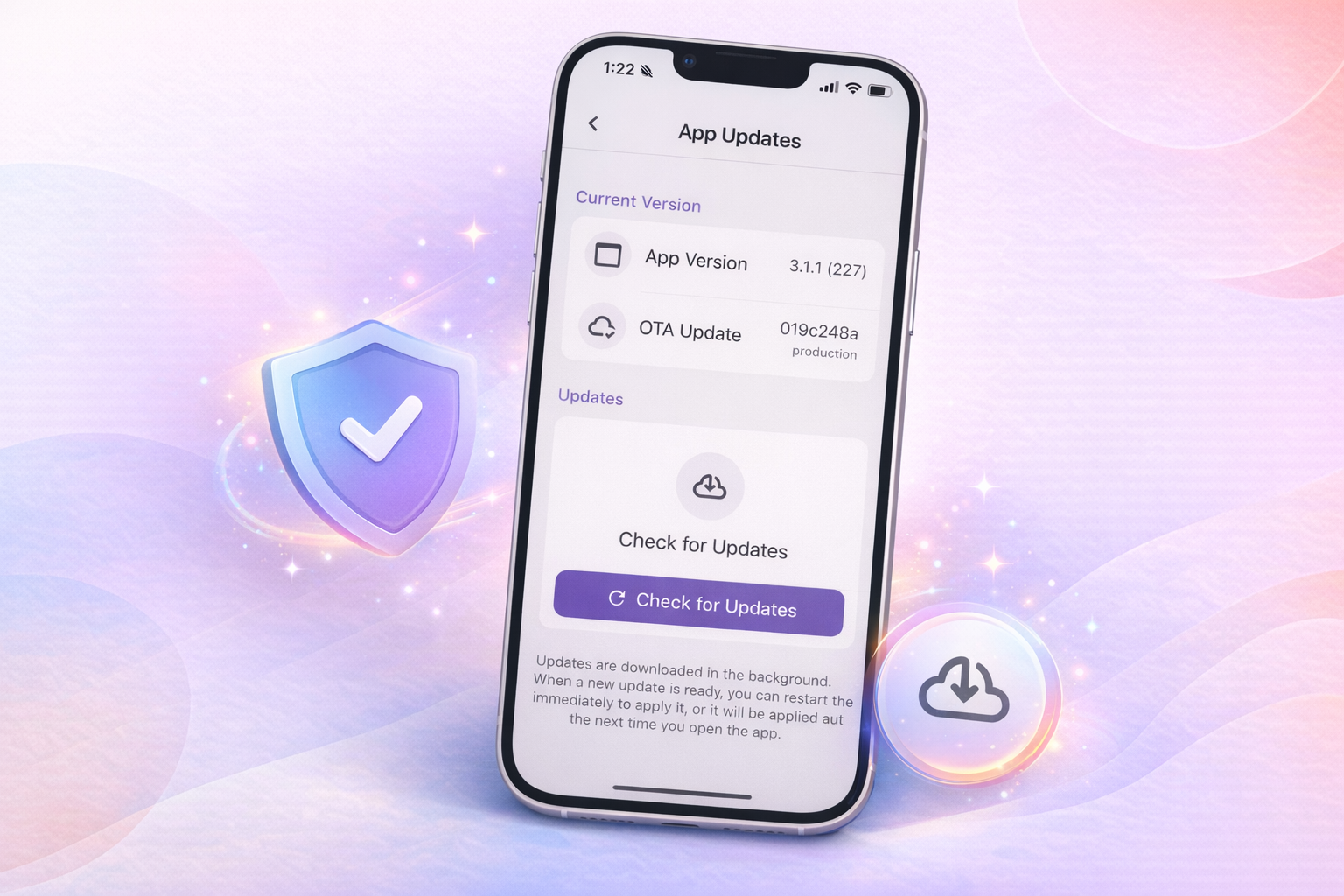
Newer versions of the app include a page where you can manually check for updates and restart the app if needed.
This link only works from inside the app:
https://jooish.app/settings/updates
If the link opens successfully, you’ll be able to check for updates and restart the app if one is available.
If the link doesn’t work
If the link doesn’t open, you’re likely on an older version of the app. Try the following steps:
- Force-quit the app
- Open the app again
- Wait about 30 seconds
- Force-quit the app again, then reopen it
After this, you should be on the latest version and the update page should be available.
Still not working?
If the link still doesn’t work after trying the steps above, a network or content filter may be blocking updates.
In that case, you’ll need to contact your filter provider to resolve the issue.