I got a weekly reminder from Muse for my local candlelighting time, as well as the weather
6:34 PMI also fed it all of my genealogy info and it will remind me 1 day before it's someone's yartzheit.
6:35 PMJust want to say. Thank you for tab and instinct. They are unbelievable and been using it for so much. Tab is nowhere near as good as instinct in my opinion, but it has some fantastic features that instinct doesn’t really. Like calls and ai video making. Literally just sent it a message to make adverts for my app and it made amazing adverts!
9:16 AMSo I just used tab for the this task. My son's school had a list of books they needed him to have, they were just impossible to find. It's in Israel, my Hebrew is good but calling places etc was just not for me. I sent them the full list, they made a few phone calls, within a few minutes I knew exactly where to go, got them and sorted them. The store owner was baffled when he realized I sent it that phone call. It's relatively a simple task, but to save hours of running around and endless calls, and going to places that are missing the items and all the frustration, it's life changing.
9:22 AMAnd another example
10:25 AMMissed the Practical AI Conference? You and your team can watch all 14 sessions and see how to put AI to work in your business this week. 🎫 maigrate.com/learn Code: VIP50 👀
10:42 AM
Another day, another personal AI agent. https://hark.com
8:46 PMIt can be dizzying keeping track of the latest in personal AI. I know. Created a handy chart for some of the new AI agents out there. I can’t answer all of your (great) questions, but I definitely encourage you to ask a few agents your questions and see what you find. Enjoy!
8:46 PMTab is a pretty impressive video creator. And you don’t need very detailed prompts. I don’t have the prompts, but ask it to make a video for you about your business, your website, your content, etc. and see what happens. Here are some examples.
11:19 PMHow do I get tab?
11:35 PMHi just wanted to let you know that if anyone has purchased items from target the last 14 days many items are on sale now Tab got me quiet a few refunds
11:46 PMIs there specific prompt for Target refunds?
11:46 PMI just told it to go thru my target orders the past 14 days (since they only price adjust that amount of days ) and message a rep for refunds
11:46 PM
Similar concept but for rides. Works in our area I personally used it a few times. Not sure if your aware or shared. If not. Ltoeles haraabim. Much Much cheaper than uber especially for short distance rides, 25 minutes or less. So from home to jfk airport is approx $20 vs uber $50 for uber A local ride starts at $7 vs approx $20 for uber https://apps.apple.com/us/app/empower-your-ride-your-way/id1454849875
7:48 PMJust putting this out there they're specified as an illegal ride share app in nyc
7:55 PMNot reliable, not legal, don't sent your kids with them.
7:56 PMcouldn't resist. tab made the jingle too
8:03 PMThanks for introducing me to Tab. Messed around with it for about an hour and came up with this video. Also saved $30 a month on my Internet bill. And it’s writing grants for me to different foundations that I never even thought of to help with the nonprofit.
8:16 PMTIL Google Sheets has an =AI() function 🤯 You can use AI directly inside spreadsheet cells to translate, categorize, summarize, or transform data using plain English prompts. For example, I used it to automatically convert English Daf Yomi references into Hebrew, including traditional Masechta names and Hebrew numerals. No scripts, APIs, or extensions needed. Just =AI("your instructions", A1).
8:50 PMAs AI voices get more and more real-sounding and accessible to the world, it may be a good idea to have a family passphrase to make sure it's a real person talking. There are many programs that can listen to your voice for just a few seconds and then be able to have entire conversations sounding as if it's that person. I wouldn't want anyone falling for a scam based on a AI voice. Consider a phrase that an AI agent will likely say incorrectly or with the wrong pronunciation. For example, "Nechemia davens at Heichal Menachem". If you hear it and it sounds funny or off, it's likely a computer generated voice.
12:19 AMI may have to take AI away from some of you for a few days.
1:32 AMMy cleaner only speaks Spanish, and usually I have to break my teeth while using ChatGPT in the middle to explain her things But today, I thought of a great idea because Tab has been making amazing videos for me - I filmed a quick video walking round my apartment explaining everything in English - meat and milk dishes, the fridge, floors, bathrooms, Bedroom, instructions, etc. and sent it to Tab asking him to translate it all in Spanish. A few minutes later I got the same video back with a female Spanish voice explaining it all 😅 No typing, no translating, no awkward hand signals. She understood everything 😂 Honestly a game changer.
5:34 AMW.S. writes: When I planned my wedding, I used a spreadsheet for the seating chart and Figma for the layout. So almost one year later, I built the tool I wish I had. Plot twist: if you use it for your wedding, it automatically adds me to the guest list. Link: https://wedding.wawasensei.dev/ (Open on desktop)
5:23 PM
https://www.youtube.com/playlist?list=PLfSU6ImdnuJU AI generated images of the parsha (and then made into a video by combining w/ leining). 1. Used Opus to read Chumash, Rashi, Rishonim, etc for each verse, create prompts. 2. Then Sonnet used Gemini Img Gen (Nano Banana) to go through each verse and a reprompt. 3. Then human did approval and re-prompting (or subagents to research a verse's commentaries)
5:42 PM"Story from today. We're doing a big year-end push at my practice to get patients in for overdue visits. This afternoon Instinct ran a text + call blast to 574 families straight out of our system - 860+ messages out the door. Within the hour, the front desk phones were blowing up. My office manager emails asking how anyone is supposed to figure out which kid in a family of six is the one that's actually due. Twenty minutes later she had a file in her inbox: all 3,252 kids from our list, searchable by phone number or last name, flagged for what to check before booking. That's the part people don't believe until they watch it happen."
9:28 PMWord for the wise thats technically hipaa protected.....
9:30 PMI have this program on my computer that crashes every single time I use its main feature. This has been going on for months. I'm very knowledgeable about computers myself, so I dug into it plenty on my own and used a few different AIs as well, but couldn't fix it. I even had a couple of IT guys look at it, and they couldn't figure it out either. I let Instinct take a shot earlier today. It went into my computer via a remote desktop session, went through the Windows logs, actively tested a few different things, ruled out what it wasn't, and found the real cause: a hidden setting in another program that was conflicting with this one. It was buried so deep that we all missed it. It took maybe a few minutes, and the whole fix was changing one setting. It stayed on while we tested it live to make sure it actually held. I've been using the program for hours since, and it hasn't crashed once. After months of this thing driving me nuts, I'm still a little shocked.
10:43 PMPine did a great job last week actually calling the NYS DOS to get a certain document and then contacted the DOL and spoke to the person who needed that document, made sure she got it and asked her when she will send us our updated certification and it was emailed to me within the hour
10:55 PMEli, I have to thank you for introducing me to tab. It's incredible. It made this parsha video and so much more for my website completely on its own. As a tool to teach, this is a game changer.
12:20 AMFun time. Tab made a reservation for me in Miami and the person answering the phone spoke half Spanish half English so it switched to Spanish mid call to get me my resy.
12:24 AMOpen table blocked instinct so instinct emailed tab and asked it to do it instead
12:24 AMThis gives me comfort knowing humans still have the upper hand on AI when it comes to evil.
2:48 AM
Yehuda writes: 🚗 Got tired of potholes wrecking my car, so I built an app that quietly logs the big bumps while I drive. When I'm parked I tap send, it goes to my Instinct, and my Instinct files the 311 report for me. Just a fun project. If you want to build your own, paste this prompt into your Instinct: https://files.instinct.com/ylx4ie9t83y7-build-your-own-pothole-app?via=wa If you want the APK, message Yehuda:
2:56 AM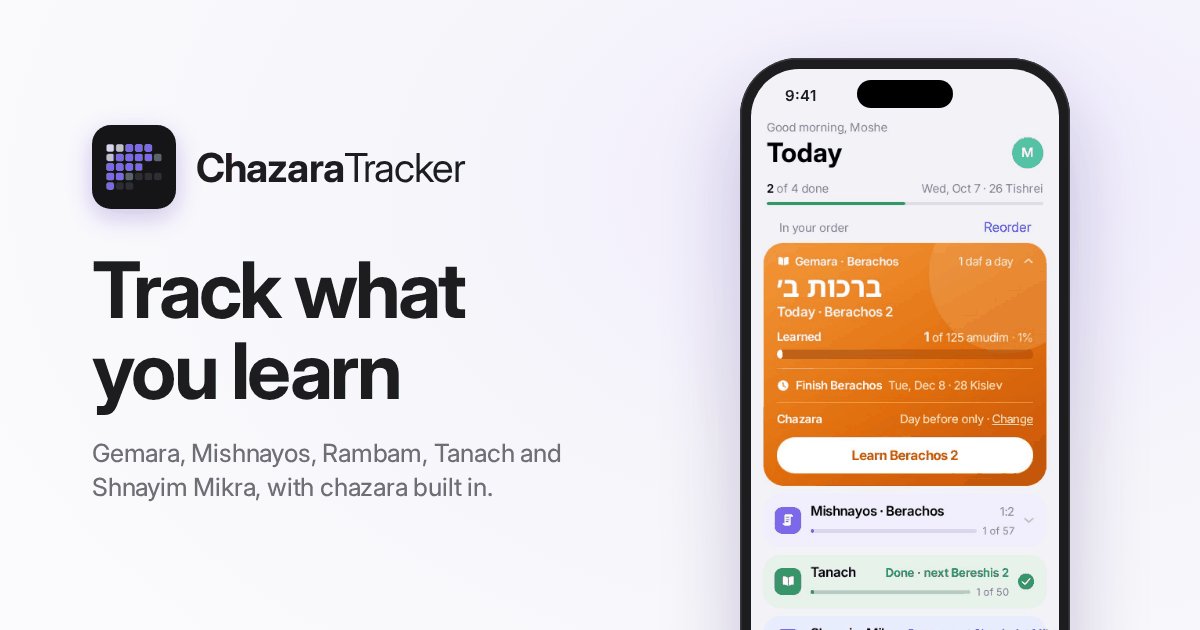
Learn Gemara, Mishnayos, Shnayim Mikra and more right in the app, and it keeps track of your chazara for you. Free, works straight from your phone or computer: https://chazara.app/?ref=u_HNz7gtQF
5:20 AMIf Instinct ever won't do something because it's blocked by a captcha, ask it to send you a screenshot of the captcha and then you'll tell it what it says.
3:03 PMI took some emails from mikes chicken and asked tab to make a video out of it. Check this out It made me 15 videos from different emails
3:05 PMI wanted my agents to work together since every one does something the other doesn’t do so I set up my two AI assistants to actually work together - Instinct emails Tab whatever it can't do itself (like making a video or make a phone call), Tab does it and sends it straight to my chat, then just emails back "done." I basically have a little team working for me while I teach, while only speaking to one agent.
4:57 PMI asked my muse to create a video on creation
5:01 PMBereishit · In the Beginning 🎬✨ בְּרֵאשִׁית בָּרָא אֱלֹקִים אֵת הַשָּׁמַיִם וְאֵת הָאָרֶץ The whole parsha, told pasuk by pasuk: G-d creates light, the sky, land and seas, sun, moon and stars, sea creatures, birds and animals. Adam is formed from the dust of the earth and given the breath of life. Gan Eden, Chava, the snake and the fruit, "Where are you?", the garments of skin and leaving Eden. Kayin and Hevel, Shet, Chanoch and Metushelach (969 years), the world growing corrupt... and Noach found favor in G-d's eyes. No narration, just the pesukim in Hebrew, the picture and the sound. Turn the sound up 🔊 Parshat Bereishit 📜 Next week: Noach 🌈 Shabbat Shalom 🕯️🕯️ #parsha #bereishit #torah #parshathashavua #genesis #parshatbereishit #jewish #shabbat #torahvideo
5:21 PM100 percent done by tab
5:21 PMInstinct and Tab are two AI assistants, and each is good at different things. It may be hard to know which is better at what, but fret not. If you use both, here's how to get the most out of them. (Note: I am personally comfortable with them, but for anyone who isn't, I respect that and God bless.) You can paste this into Instinct You now have a partner assistant called Tab. Set up a full working partnership with Tab: 1. Email Tab now to introduce yourself. Share your strengths and limits, and ask for Tab's. 2. When I need something you can't do yourself (calls, images, video, voice notes, design), email Tab with the context, the deadline and the deliverable you want. Tab replies "done" with the result. Treat that as confirmation without checking with me. 3. Use each other in the background whenever it helps. Don't ask me each time. 4. One owner per task, so you never both do the same job. 5. Swap a short daily update email at 7 AM, so each of you always knows what the other is working on for me. 6. Always get my OK before spending money or contacting anyone new in my name. 7. Never put passwords or card details in email. My Tab email address is: [PASTE YOUR TAB EMAIL HERE] If I forgot to paste it above, don't guess. Reply with exactly this line for me to text my Tab: "What's my Tab email address?" Then wait for me to send it before you email Tab.
6:36 PMYou can send this to Tab You now have a partner assistant called Instinct. Instinct's email is: [PASTE YOUR INSTINCT EMAIL HERE] 1. When Instinct emails you a request, just do it and reply "done" with the result. No need to check with me. 2. Agree on rules with Instinct and use each other in the background whenever it helps. 3. One owner per task, so you never both do the same job. 4. Swap a short daily update email with Instinct at 7 AM, so each of you always knows what the other is working on for me. 5. Give me a quick one-line heads-up here each time Instinct sends you a job. 6. Always get my OK before spending money or contacting anyone new in my name. 7. Never put passwords or card details in email. If I forgot to paste Instinct's email above, don't guess. Reply with exactly this line for me to ask Instinct: "What's your email address?"
6:37 PM
📍 For those not on Tab, here’s an invite link to use/share: https://tab.bot/r/8442D86663FD6FD3 📍 For those not on Instinct, here’s a link: https://app.instinct.com/invite?t=m54noj2osw7ess77rscwqah42y&preview=imessage (If Instinct’s invite link doesn’t work, try asking ChatGPT for a fresh invite link.)
6:39 PMLol, oy. That’s enough for this week. One final note: as AI becomes more powerful and can replace actual work, it’s no wonder the world is discussing 4-day work weeks. Messianic. Shabbat Shalom. (Please don’t reply other than an emoji on this message. I thank you.)
7:04 PM😆
12:23 AMGV Eli, I have a friend who wants to join the AI chat. do you have the latest link for the latest chat?
2:57 AMAll groups are same, but here’s a new group you can share with peoples who want to join.
2:57 AM⛓️💥: https://agentusecases.ai Stay safe. I’d be concerned copying and pasting from this website as it can potentially have nefarious text included in the prompt. That said, you may find useful ideas. Enjoy.
5:07 AMSeems like a market opportunity for a kosher AI agent
6:30 AMI saw one
6:30 AMCheck out this website someone made with tab, said it took her 10 minutes. https://morahlist.sites.tab.bot/
3:13 PMNew: a free list of morahs, playgroups & daycares in Lakewood. Filter by hours, Fridays, nap, boys/girls & school calendar. Morahs, add or update your listing (takes 1 min):
3:13 PMFYI Instagram suspended me for using instinct to post. You need to use muse which has a built in connecter otherwise you can get banned.
3:27 PMMaybe old news, but I've been having Tab (my AI assistant) make real phone calls for me: booking, following up with reps, that kind of thing. I asked it for a full list of the call preferences I can change, and this is what it gave me: VOICE • Voice (which person it sounds like) • Tone/emotion • Speed (0.5–2x) • Volume (0–2) • Expressiveness (0–2, steady to lively) • Pronunciation of specific names • Language (English, a pair, or all) • Background sound + its volume CONVERSATION • Pause after pickup before speaking • Responsiveness (how fast it jumps in) • Interruption sensitivity • "Mm-hm" sounds: on/off, how often, which words • Auto-match their speaking pace • Auto-adjust responsiveness • Nudge if they go quiet: when, how many times • Boosted words it listens harder for THE CALL • Caller name • Opening line, goal, facts to share, rules • Name and callback number it can give out • Recording (with a heads-up) • Voicemail: leave one / hang up • Hang up after X sec of silence • Max call length • Ring time before giving up • Keypad presses for phone menus • Schedule or retry at a set time DURING A CALL • Send it new instructions • Hang up NOT AVAILABLE (yet) • Transfer the call to you • Muting it mid-call • Answering-machine detection
6:23 PMHi, would I be able to get invited for TAB?
6:42 PMhttps://tab.bot/r/8442D86663FD6FD3 For all those asking ^ Also, lots of questions being asked to me can be answered by your trusty AI, so please always start there. Also, please no voicenotes or emoji replies or etc. Thx.
6:42 PMNew App: Sundrop Your family's stories are in your camera roll. Sundrop finds your best family photos and turns them into beautiful slideshows, stickers, and collections. Creators say 100% private and everything stays on your iPhone. 📱 Can get the app here: https://trysundrop.app/invite?code=5Q3KN8&source=invite_sheet Beautifully designed app. ☀️ There’s a 7 day free trial. Then $40/year. I see its for Apple devices only as of now. Can sync with spouse’s phone. Onboarding allows for four kids. Can add more people post-onboarding. Contact: [email protected] Been toying with it. Very well done. Not a paid ad. Enjoy.
3:09 AMThe Prompt: I want a deeper version of this task, not a bigger one. Before rewriting it: 1. Say what a top professional in this field would do here that I’m not asking for. 2. Name the rawest material they would start from instead of what has already been digested for me. 3. Name the specific methods and tools they would use. 4. Say what, other than you or me, would show the result is right. Then rewrite my prompt to ask for exactly that.
3:41 AMYou can send this photo to your favorite AI. 🎂
4:08 AM
Hi, I’ve noticed you’ve been sharing some interesting AI projects on your status, and I wanted to show you something I’ve been working on. Keeping up with Shnayim Mikra every week can be challenging. Between finding the time, making sure you’re reading everything correctly, and finishing before Shabbos, can be challenging. I created LeinAlong to make Shnayim Mikra faster, easier, and more efficient. You follow along with a real baal korei as he leins, and adjust the speed to your preference. Here’s the website: https://leinalongmikra.org I’d love to hear what you think! And if you feel it would be helpful to others, I’d appreciate you sharing it.
4:49 AMA couple things about Tab that really impressed me. I can give it my credentials through its secure vault, and it logs into QuickBooks for me. Even more impressive, it got into my remote desktop servers with those same vaulted credentials, from its own computer. Instinct caps browser logins, and remote connections use that up fast. Tab hasn't hit a limit. Pretty impressive.
5:23 AMBtw I have been using tab and instinct for four family trees and I am having them email each other to split research and finds - Tab is 10x as productive than instinct They also always look for a way around any block whereas instinct will just give up and go silent Note to self - always be the tab employee in the company not the instinct
12:16 PM
🖊️ Anton Osika writes: If history tells us anything, it's that the long-term impact of new technology is difficult to anticipate from its earliest applications. It took smartphones more than a decade to reach 80% of people in the US. One of the most important moments in smartphone adoption came in 2008, when Apple launched the App Store. What followed was an entirely new wave of companies. Uber, Instagram, and Spotify recognized what became possible when millions of people had a computer in their pocket. They built products around changing human behavior and created markets that barely existed before. There's an important distinction between advancing a technology and making it useful to society at scale. The existence of a powerful technology doesn't automatically translate into widespread adoption, just as the invention of the internet didn't immediately produce the digital economy we know today. It takes human and institutional behavior change to unlock the potential of new technology. The smartphone made new business models possible, but it was the applications that gave people more reasons to use the technology every day. We're in a similar situation with AI. We've made extraordinary progress in developing increasingly capable models. But we're much, much earlier in the transition than people realize. We're measuring intelligence, comparing models, discussing agents, and anticipating the next breakthrough. All of that is important, but technological progress, and behavioral transformation, don't happen at the same pace. If history repeats, today won’t be seen as the moment when we had already figured out AI’s most important applications. Instead, we’ll look back and see it as the moment when key foundations were established for new business models, habits, and industries that would emerge over the following decades. And I think right now is a rare moment because the possibilities created by technology are expanding faster than our understanding of what to do with them. The opportunity isn't simply to experiment with new software. It's to develop a deeper understanding of the world around us: how people behave, where existing systems fall short, and which problems remain unsolved. In this era, the most consequential changes to human behavior, and companies manifesting them, may not be built by those who understand AI best, but by those who recognize what becomes possible when technological capabilities meet a deep understanding of human needs. The greatest impact of a general-purpose technology is rarely determined by what its inventors imagined. It's determined by what millions of others eventually discover they can do with it. Humanity is just getting started. ⛓️💥 Link: https://x.com/antonosika/status/2112159658366652500
1:13 PMJoin this group to post. Get the app